
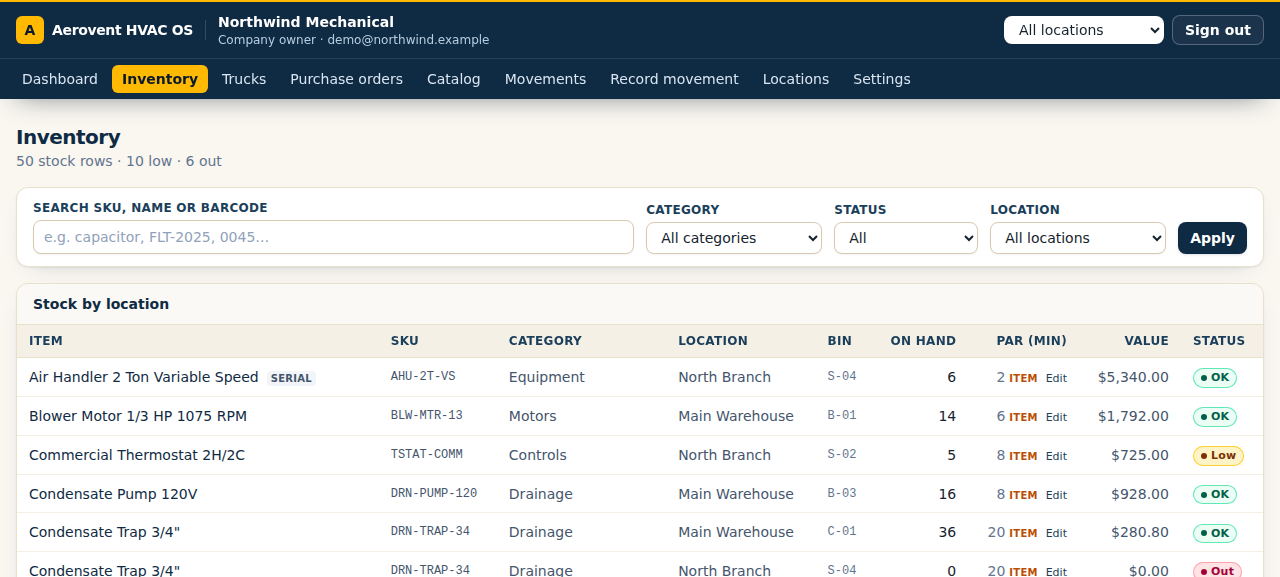
Inventory
On-hand by location down to the bin, with reorder status and stock value at a glance.
Warehouse management and job costing for HVAC
Aerovent HVAC OS is the inventory and job-costing system for mechanical service companies that have outgrown a spreadsheet and a shared inbox. Parts, refrigerant and equipment across your warehouse, branches and trucks — scanned in and out, reordered by supplier, and costed against the job that used them. Every count has an audit trail behind it.
The demo is a seeded company — Northwind Mechanical, two warehouses, two trucks, 32 parts, purchase orders and three work orders — so you can click through real inventory and a real job sheet instead of an empty account.
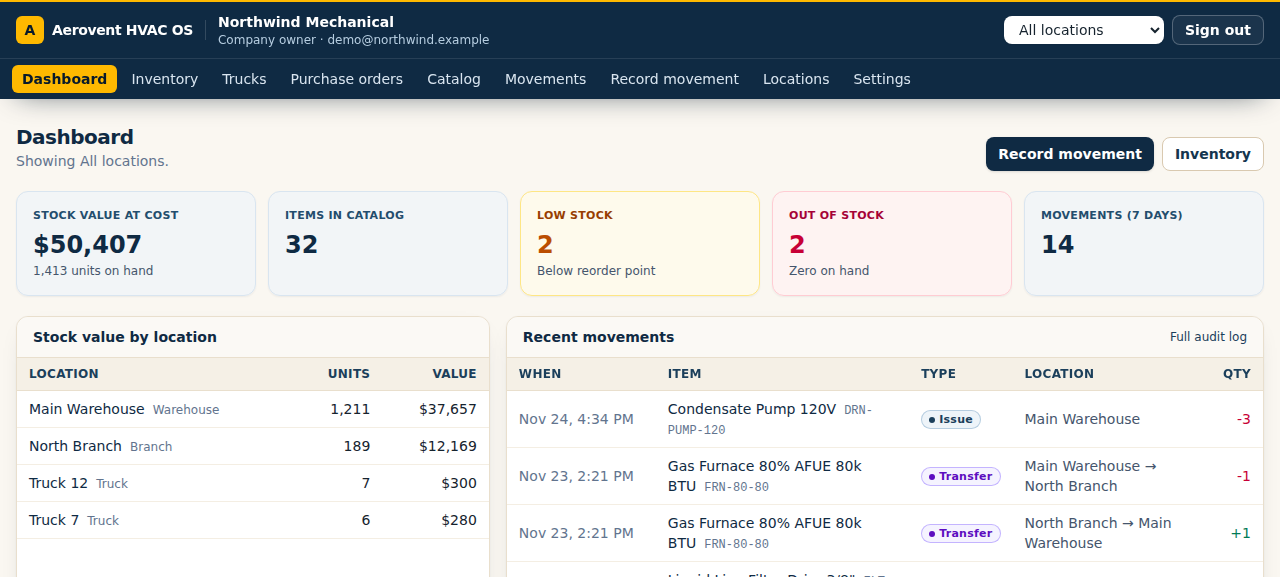
Multi-location by default. Warehouses, branches and trucks in one catalog, with stock counted per shelf.
Trucks carry par levels. Each truck is a stock location with its own min and max — and never counts as a paid location.
Purchase order to job invoice. Receive into any location, scan it onto a truck, then cost it against the job.
Inside the app
The screens below are the real product, running the seeded Northwind Mechanical company.
On-hand by location down to the bin, with reorder status and stock value at a glance.
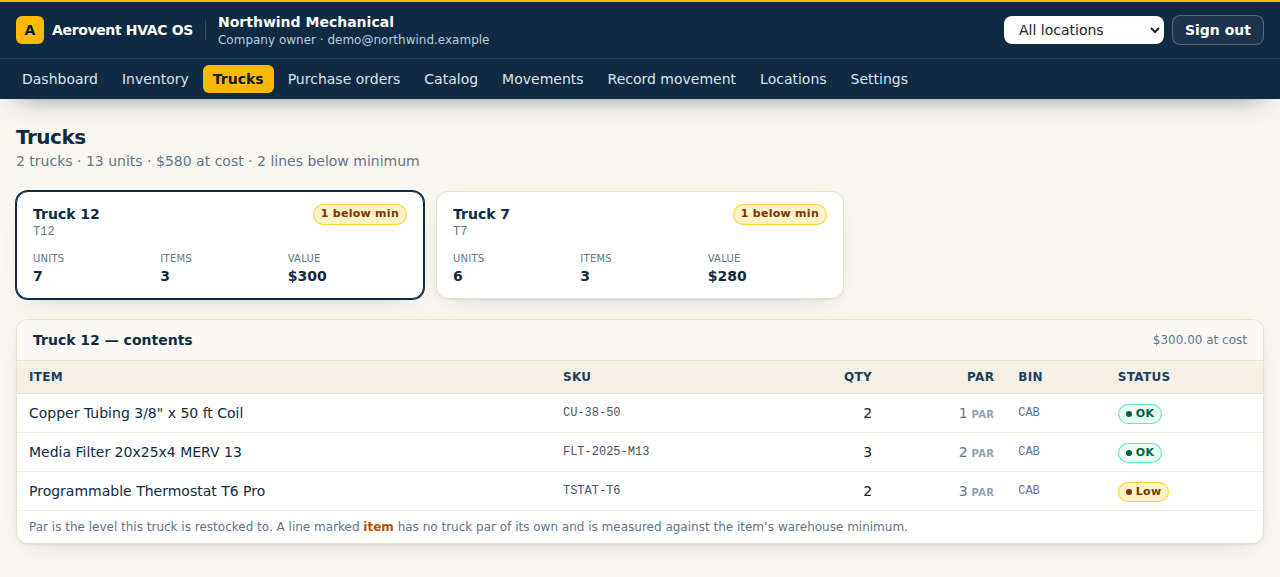
Every truck is a location with its own par levels, so you see what is missing before the tech calls.
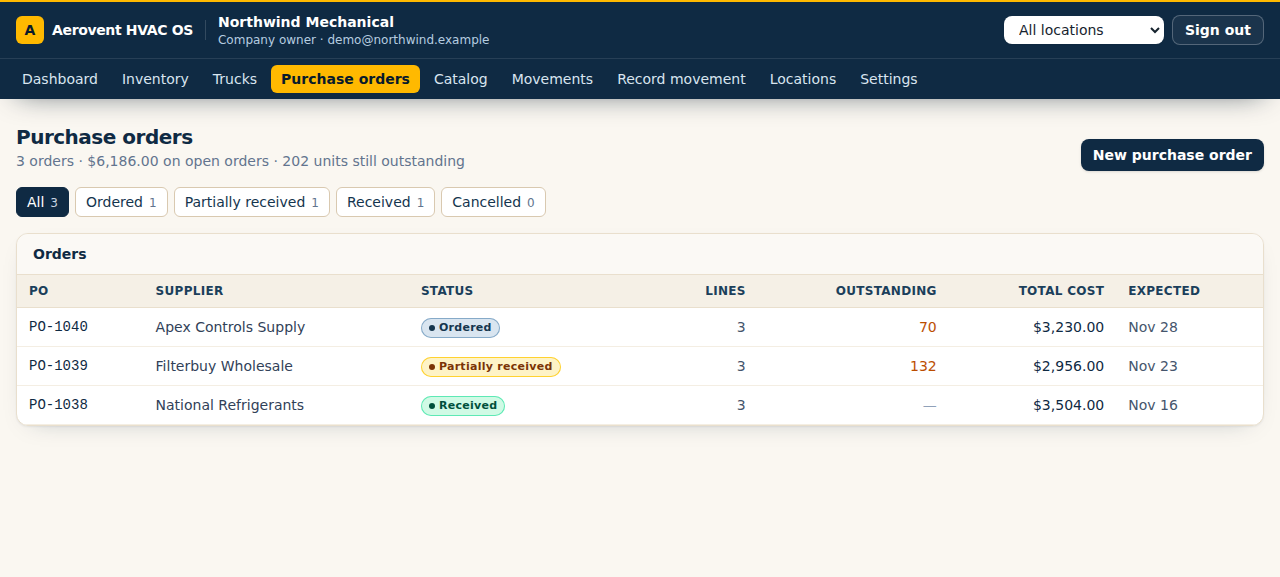
Order against a supplier, receive into any location, and keep the PO number on every movement it creates.
Every part lives somewhere: the main warehouse, a branch shelf, or Truck 12. On-hand quantity is tracked per item per location with bin and shelf codes, so “we have 40” becomes “40 in Bay 3 at the north branch.”
A truck is a stock location, not a note in a group text. Set a min and max for each part a truck should carry, then see what is on it and what it is short. Trucks never count as a paid location.
A scan screen that stays armed for the keyboard-wedge Zebra and Honeywell guns your crews already carry, with a phone-camera fallback. Scan a barcode to find the part, then receive it, issue it to a job or move it to a truck — every scan writes the same movement row as a manual entry. Unknown barcode? Assign it to a part on the spot.
Build a PO against a supplier with expected date, per-line quantities and unit costs. Receive into the warehouse, a branch or straight onto a truck, and the movement carries the PO number. Over-receipt is refused.
The Reorder screen lists every part below its par, grouped by location and supplier, with subtotals and suggested quantities. Pick the lines and Aerovent builds one purchase order per supplier — no re-typing the list into three supplier portals.
Work orders carry a permanent number, customer and site. Parts issued from any location land at the cost frozen the moment they were issued, and labour hours are logged against the job. The job sheet shows material, labour, total cost, revenue and margin, and flags a job running over its quote.
Line items at sell price, one tax rate per document, printable on the spot. A document locks once it is sent so the customer's copy never changes, and you mark it paid when the money lands.
Receive, issue, transfer and adjust with a reason. Each change is a movement row with the item, quantity, location, user and time — so a count you show a customer is one you can defend.
Owners, admins, warehouse managers and technicians each see what their role allows, enforced on the server. Every company's records are isolated: users only ever see the inventory of the company they belong to.
HVAC contractors and mechanical service companies with roughly 10 to 100 field staff, a main warehouse plus a branch or two, and trucks that carry stock. The buyer is usually the owner or operations manager who cannot answer “what do we have, where is it, and what did we spend on it” without calling the warehouse.

I’m Caleb Sanders, and Aerovent HVAC OS is my company. I started it because one question is still too hard to answer in most HVAC shops: what do we have, where is it, and what did we spend on it? The answer usually lives across a spreadsheet, a whiteboard, two branches and a dozen trucks — and it changes the moment someone takes a part off a shelf.
Aerovent puts that answer in one place: stock by location down to the shelf, every change on a movement trail with who and when, purchase orders that put stock straight into a branch or a truck, and trucks counted as real locations instead of a rounding error.
Demo requests, pricing questions and bug reports all land with me. The app is early and I’m building it in the open — if something does not match how your yard actually works, tell me and it gets fixed.
Pricing
Trucks are free at every tier — they are stock locations, not a line on the bill. Technicians cost nothing extra either: put the scanner in every van and the numbers get better, not dearer.
$99/ month
One warehouse and one crew.
$199/ month
A main warehouse and a branch.
$399/ month
Several branches and a bigger crew.
The way we would suggest starting: tell us how many locations and trucks you run, we set the account up with you and you pay when you are ready. Buying straight away works too — the buttons above take a card and we email your sign-in details once it clears.
Prices in US dollars, billed monthly, cancel any time.
By subscribing you agree to our Terms of Service and Privacy Policy.
We set accounts up with you — company, first location, and you as the owner. Tell us how many locations and trucks you run and we’ll walk you through it.